
Ticketing
Sell concert tickets with zero commission
Your own ticket page, payments straight into your own Stripe account, and scanning at the door with any phone.
Included with Pro
Included with Pro
Ticketing
Sell tickets to your own shows, scan them at the door and see them on the settlement, without a ticketing company in the middle. Included with Pro: 100 tickets per show, and extra ticket packs add 1,000 more each.
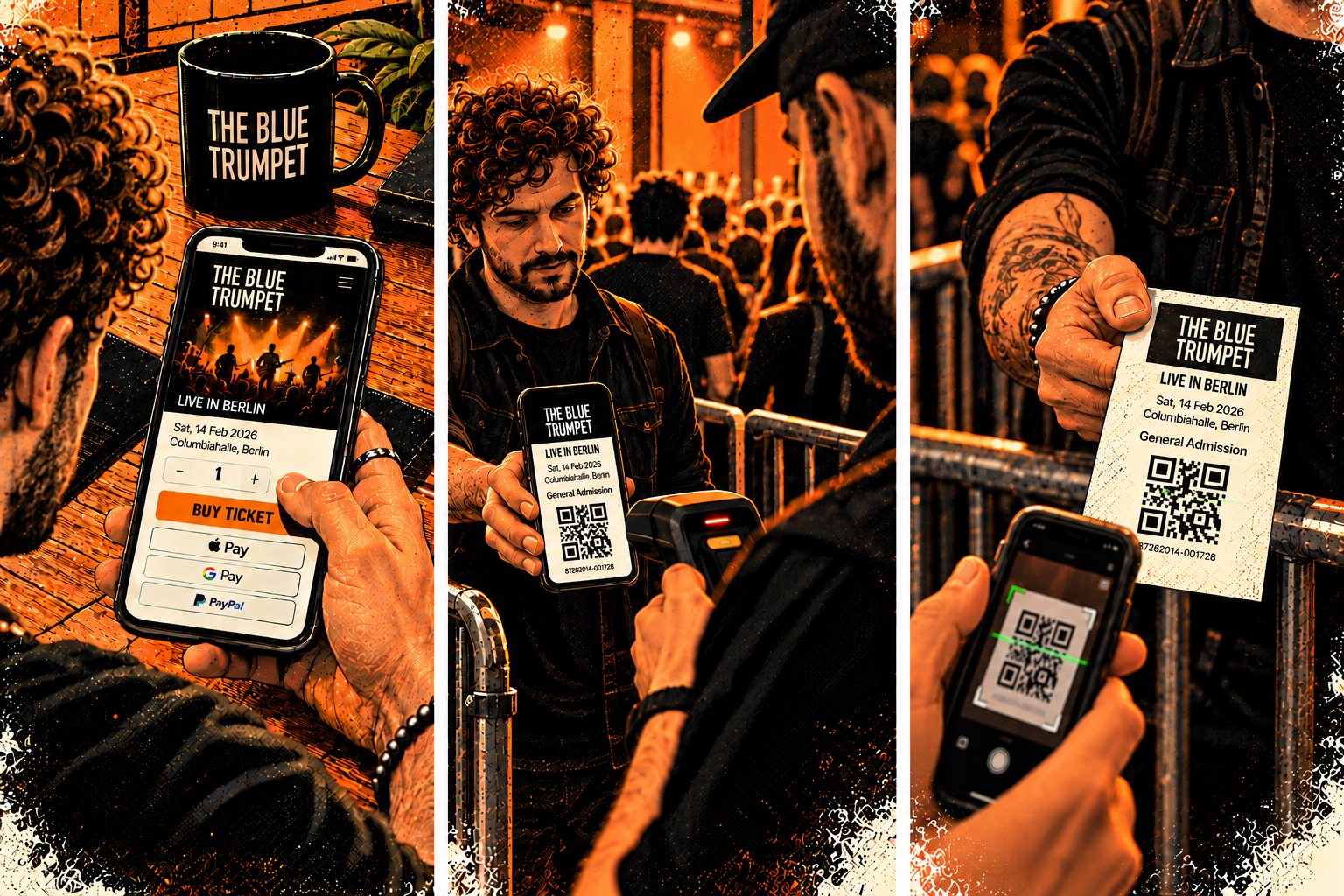
Put a show on sale in minutes.
Connect your own Stripe account once. Then open any show, add ticket types and a capacity, and the ticket page is live. The money goes straight to you.
Ticket types — Early bird, regular, VIP: each with its own price, tax rate, number of tickets and limit per order. Free shows work too.
Your Stripe, your money — Payments land in your own Stripe account. We take no commission; you set your own booking fee, and it is yours.
Never oversold — Every seat is held while the fan pays. Capacity holds even when a thousand people buy at the same second.
Fans buy on your page, in their language.
Share the show's ticket link anywhere. Campaigns, your company site and the EPK link to it automatically. Fans pay with card or wallet and get their tickets by email and PDF straight away.
Tickets by email and PDF — Every ticket has its own QR code. Fans can forward tickets to friends, and their order link always shows the current state.
Guest list — Issue free guest-list tickets from the same screen; they count against capacity, not against your revenue.
Promoted everywhere — A show selling here gets its Buy tickets link in your campaigns, emails, company site and EPK.
Scan with any phone.
Open the scanner on a phone, point it at the QR code: green to let in, yellow if already scanned, red if not valid. Several doors can scan at once.
Camera or handheld scanner — Use the phone camera, a Bluetooth scanner, or type the code. Add the scanner to the home screen like an app.
Works without signal — Open it with signal before doors and it keeps scanning through a dead basement; scans sync when the signal is back.
Door sales — Note what you sold at the door at the end of the night, so the count and the money are complete.
The night closes itself.
Ticket revenue, booking fees, guest list and door sales land on the show's settlement and in Finance, ready for the promoter and your accountant.
Refunds and cancelled shows — Refund a ticket or a whole order in a click. Cancel a show and every buyer is refunded and emailed.
Settlement — Face value, fees and door sales are filled in for you, and you can still overwrite any figure.
Finance export — Ticketing has its own tab in Finance and a CSV per order for your accountant.
How it connects
→ Ticket and door sales land on the settlement
Works with
Questions about Ticketing
Ticketing
What does Ticketing do?
It sells tickets to your shows directly to fans, through your own Stripe account: ticket types and capacity per show, tickets by email and PDF, a door scanner that also works offline, refunds, cancelling a show, door sales, and the figures going straight into the settlement and Finance. We take no commission; Stripe's own fees apply.
What does it cost?
Ticketing comes with Pro, with 100 tickets per show. Each extra ticket pack ({ticketingPackMonthly}/mo or {ticketingPackYearly}/yr) adds 1,000 tickets per show, up to 4 packs. You set your own booking fee, which is yours.
Setting up
How do I get paid for tickets?
Connect your own Stripe account in Ticketing > Settings. Every ticket payment goes straight into that account and Stripe pays it out to your bank; Digitainment never holds your money and takes no commission. Stripe's own fees apply and are shown in your Stripe account. Free shows need no Stripe account.
How do I put a show on sale?
Open the show in Ticketing, add one or more ticket types (for example Early bird, Regular, VIP) with a price, tax rate, number of tickets and a limit per order, and set the show's capacity. Switch sales on and share the ticket link. Capacity is never oversold: a ticket is held for the fan while they pay, and released if they don't.
Can I add a booking fee?
Yes. Set a fixed amount, a percentage or both in Ticketing > Settings. The booking fee is yours, not ours. By default it is included in the ticket price fans see, which is what EU price rules ask for. You can show it as a separate line instead in Ticketing > Settings if the rules where you sell allow it.
Try Ticketing free
Start free, no card required.